

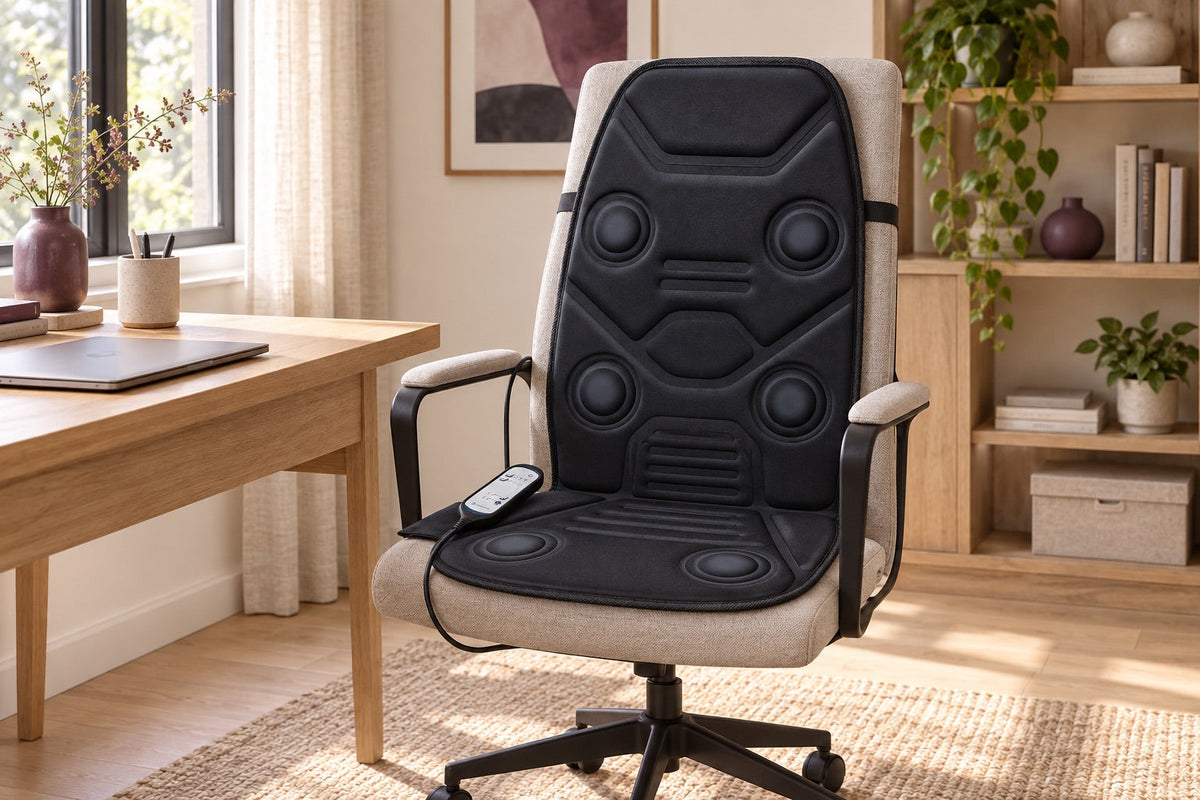
Installing a seat cushion at a desk involves more than placing it on a chair. The extra thickness can change your sitting height, a back section can move you forward, and cables can obstruct movement. The aim is to keep the workspace practical while following the manufacturer’s instructions. Before starting a programme, check the complete setup: chair, cushion, desk and the person using it. A comfort accessory should fit the workspace without making ordinary movements difficult.
Check the stability, available space and access to controls before use; a cushion alone does not correct an unsuitable work installation.
Choose a compatible seat
Compare the dimensions of the cushion with the useful width and depth of the seat. On a model with backrest, also check the available height and the shape of the support. A very hollow seat, a highly inclined backrest or close armrests can prevent the intended placement. The straps should not be used to compensate for a support that is not suitable for the product.
See the user manual for seats and permitted positions. An office image illustrates a context, but it does not guarantee compatibility with all chairs. If the cushion overflows, slides or bends on an edge, interrupt the installation and look for the cause. Do not cut, compress or add fasteners that could damage its envelope.
Recheck your height and distance from the desk
The added thickness changes your position relative to the top and armrests. Once the cushion is installed in accordance with the instructions, make sure that you can sit up and stand up without obstacles. Also observe the space available for the legs and access to the keyboard. A comfortable adjustment without a cushion can become less convenient when the seat is raised or advanced.
Adjust the seat settings to their normal limits, then evaluate the result before turning on the device. Do not try to maintain a complicated posture to keep the cushion at all costs. If the whole reduces the space too much or interferes with common gestures, another seat or other location may be more suitable. The comfort device must be integrated into the installation, not impose a constant constraint.
Fit straps without obstructing the chair
Use the straps only as indicated for the reference. Check their passage behind the backrest and their fit after sitting. They must not pass through a mechanism of the seat, hinder its adjustment or get caught in a moving part. Proper holding limits the movements of the cushion without distorting its backrest or exerting excessive traction on the seams.
If the seat rotates or rolls, examine the cable path before each movement. A strained power supply can pull on the product or on the socket. Avoid passing the wire under a caster or through a passage area. The assembly must allow to move away from the desk and remove the cushion without hanging the electrical installation.
Prepare the controls and power supply
Place the remote control in the intended location at hand. It should not disappear under the seat or be suspended by its cord. Locate the stop before you start. For a device connected to the mains, use the appropriate power supply and follow the connection recommendations. For a rechargeable model, do not assume that it can work during charging.
Also check the constraints of the place: a use in a shared office must leave the circulations free and respect the rules applicable to this space. The product must not be used in a position or environment excluded by its notice. In case of uncertainty on the power supply or the conditions of installation, adjust this point before the test rather than multiplying the adapters.
Set aside time for the first trial
The first use deserves attention. Take a moment where you can understand the controls and stop easily, without meeting or demanding task in parallel. Identify the functions of the model and start according to the intended instructions. The phrase “in the office” does not mean that the manufacturer allows continuous use for an entire working day.
Respect the duration and any breaks indicated. An automatic stop does not prompt to restart successive cycles without limit. If the device interferes with posture, concentration or movements, interrupt the use and re-evaluate the installation. Do not try to compensate for discomfort by a stronger adjustment or by adding an unexpected thickness between the body and the mechanism.
Keep the workspace easy to restore
After use, stop and unplug according to the user manual, then remove the product if holding it on the seat interferes with normal use. Check the cooling conditions before storage. A permanently placed cushion can mask cable wear or a misplaced fastener, so take the time to inspect the areas that are usually hidden.
Store the product without crushing it and keep its accessories together. Surfaces and covers should be cleaned according to their actual status, not according to their textile appearance. In a shared space, explain how to handle and remove the cushion, even to a person who does not use it. She should be able to release the seat without pulling on the wires or controls.
Assess the everyday setup
Before keeping this installation, evaluate three ordinary gestures: sit, reach the controls and stand up. If one of them remains complicated, the assembly still requires a correction. Also compare the preparation time with your actual use. An easy configuration to put back in place will often be more convenient than a permanently fixed but annoying device.
The choice of a seat cushion should remain separate from a search for a solution to a health problem or a poorly adapted workstation. The comfort functions do not guarantee an ergonomic improvement. In case of pain or special need, seek a competent opinion. For questions of dimensions, attachments or compatibility, send the support the reference of the cushion and the characteristics of the seat.