

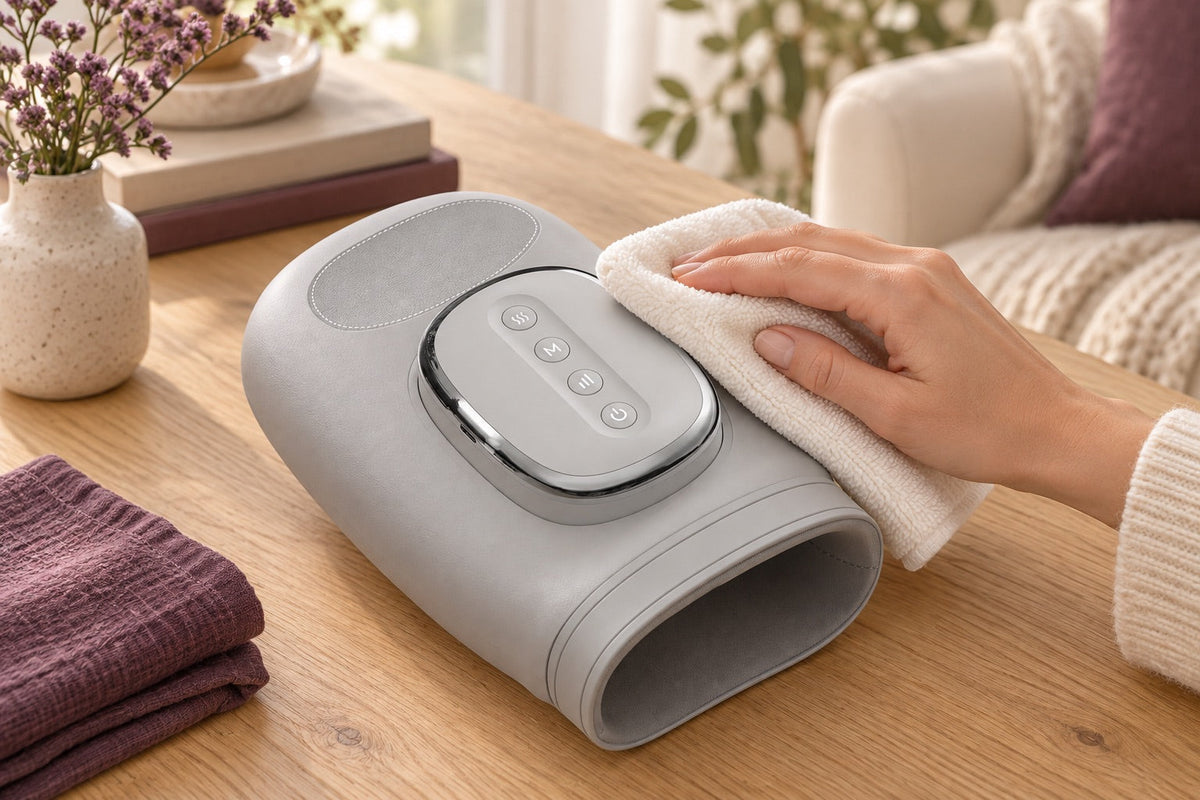
An easy-to-maintain device is a device whose limitations are known: the parts that are removed, the surfaces that support cleaning and the elements that must remain dry. A cover, a battery and a motor block do not require the same gestures. Before choosing a cleaning product or putting a part in the washing machine, take the time to find the instructions corresponding to the exact reference. Here is how to organize this maintenance without improvising.
Identify which parts are washable, disconnect the power before cleaning, and store the device completely dry with its original accessories.
Identify the parts before cleaning
Place the switched-off appliance in a clear space and locate its different parts. A textile coating can directly cover a mechanism; a zipper does not automatically mean that a cover is intended to be removed by the user. Look in the user manual for the words “maintenance”, “cleaning” or “cover”. Compare the drawings with your appliance, especially if several versions have a similar product name.
Bring together only what is recommended for this reference. A soft cloth may be suitable for certain surfaces, but the amount of moisture, the products allowed and the drying steps vary. Keep solvents, scented sprays and abrasives aside if their use is not expressly intended. The goal is not to make the device like new at all costs: it is to remove dirt without changing its coating or protections.
Switch off and disconnect
Stop the program, disconnect the power supply and disconnect the charger before any maintenance. Follow the manufacturer’s instructions when a cable or accessory needs to be removed. A cordless device retains an internal battery even after shutdown: this does not make its ports, buttons or fittings insensitive to water. Do not disassemble its housing to reach a hard-to-reach area.
If a heating part has been used, wait for the cooling conditions provided in the user manual. You can then handle and inspect the product without confusing an operating heat with an anomaly. If you notice an unusual smell, a deformation or a damaged cable, cleaning is no longer the priority. Suspend the use and describe the problem to the competent service with the product reference and useful photos.
Distinguish fixed and washable fabrics
Distinguish between fixed fabric, removable protection and washable cover. These three expressions are not interchangeable. For an explicitly washable piece, check the permitted temperature, hand or machine wash, spin and drying mode. A recommendation found for another cushion may be unsuitable for the foam, seams or membrane of your model.
Before putting a cover back in place, make sure that all its parts are dry, including folds and fasteners. Do not shorten drying using the heating function of the device. Replace the cover in the right direction, without excessively tightening the seams or blocking the controls. Finally, check that the assembly corresponds to the illustrations in the user manual and that no edge can be driven by a moving mechanism.
Clean surfaces and contact areas
The areas most frequently touched deserve regular attention: handle, buttons, remote control and surfaces in contact with the skin or clothing. Proceed in small areas according to the manufacturer’s instructions. Avoid sending liquid directly to a button, socket or opening. A device advertised as water resistant does not necessarily allow the rinsing of all its parts.
Do not add massage oil, cream or disinfectant to surfaces just to make cleaning easier. These products may leave residues or not be suitable for the materials. If a stain does not leave with the authorized method, ask for advice before insisting. A remaining cosmetic mark is preferable to a weakened coating, a sticky control or moisture introduced into the case.
Protect cables and the power supply
Inspect the cable for its visible length, especially near connectors and enclosure outlets. Look for a damaged sheath, a twisted connector, or a loose fitting. To disconnect, grab the plug rather than pull the wire. Do not attempt to make a damaged cord usable with tape: have the appropriate replacement part identified for the reference.
When storing, avoid tight knots and angles that constrain the cable. Keep the device and its power supply together. A plug that enters the connector is not proof of electrical compatibility. For a rechargeable model, respect the charging and storage instructions of its battery; do not assume that it must remain permanently connected to be ready to serve.
Choose accessible storage
A dry, stable and place protected from pressure and damage avoids many difficulties for the next use. Do not crush a cushion or mat under other objects and do not fold it beyond the intended areas. If the product is stored flat or in a particular position, reserve this place rather than forcing it into a container that is too small.
A box for accessories helps to keep the remote control, protections and the user manual without losing the references. Note the model code on this box if several devices look the same in the home. Before each return to service, quickly check the visible state, the right drying and the presence of the necessary elements. This habit completes the maintenance; it does not replace the checks or specific recommendations required by the manufacturer.
Keep useful records if a problem occurs
Keep the proof of purchase and model number in an easy-to-find folder. If a problem appears after a cleanup, honestly state the method used, the products applied and when the defect was observed. This information helps to distinguish a mounting error, a missing part and a malfunction that requires support.
Avoid repeated tests or disassemble the device to look for a breakdown. Instead, photograph the label, the part concerned and the general installation, without exposing unnecessary personal information. Proper maintenance is based on adapted and reproducible gestures, not on improvised technical intervention. When the user manual does not answer a question, a precise request to the support remains the best next step.